Send Massive 4K Videos from Android to Mac Fast
Shot a 20GB 4K 60FPS video on your Android phone and need to edit it in Final Cut Pro or Premiere on your Mac? Bytez transfers massive files at 80+ MB/s directly over your local router.
Live Demonstration
Real-time local P2P transfer over Wi-Fi. No cables, no cloud accounts.
Why transferring large videos between Android & Mac is painful
Video files are gigantic. Free cloud accounts cap file sizes at 2GB, Android File Transfer crashes on large files, and web services choke on high bitrates.
FAT32 and USB Crashes
Legacy tools crash or fail silently when trying to transfer files larger than 4GB over a physical USB connection.
Hours Spent Uploading to Cloud
A 20GB video takes 45 minutes to upload on typical home internet, and another 45 minutes to download to Mac before editing can start.
Gigabit Streaming: 20GB in Under 4 Minutes
By utilizing your local Wi-Fi router maximum throughput, Bytez achieves up to 100+ MB/s. Transfer 20GB in just 3 to 4 minutes flat.
Engineered Exclusively for Android & Mac
Tailor-made for macOS Bonjour and Android Wi-Fi APIs to ensure zero-lag discovery and maximum throughput.
Instant mDNS Discovery
No pairing codes or IP addresses. Uses native Bonjour/mDNS so your Mac and Android discover each other within 200 milliseconds.
Blazing Gigabit P2P
Direct device-to-device streaming over 5GHz Wi-Fi or Wi-Fi 6. Transfers hit 50–100+ MB/s—send a full 2-hour 4K movie in 40 seconds.
Saves to ~/Downloads/Bytez
Files received on Mac land automatically in your native Downloads folder. Discreetly sits in Menu Bar with native notifications.
Zero Quality Compression
Never compresses 200MP camera photos or 4K HDR videos. Preserves all EXIF metadata, colors, and original file structures bit-for-bit.
100% Private & Serverless
Your data stays strictly within your own local router. We run zero cloud storage, have no user accounts, and track no files.
Bidirectional Sharing
Push music and PDFs from your Mac to your Android phone, or send galleries and APKs from Android to Mac with identical ease.
Designed for Speed and Simplicity
Explore the native interface on both Android and macOS.
Android Mobile Experience
Native screens built for rapid, 1-tap wireless sharing directly from your phone
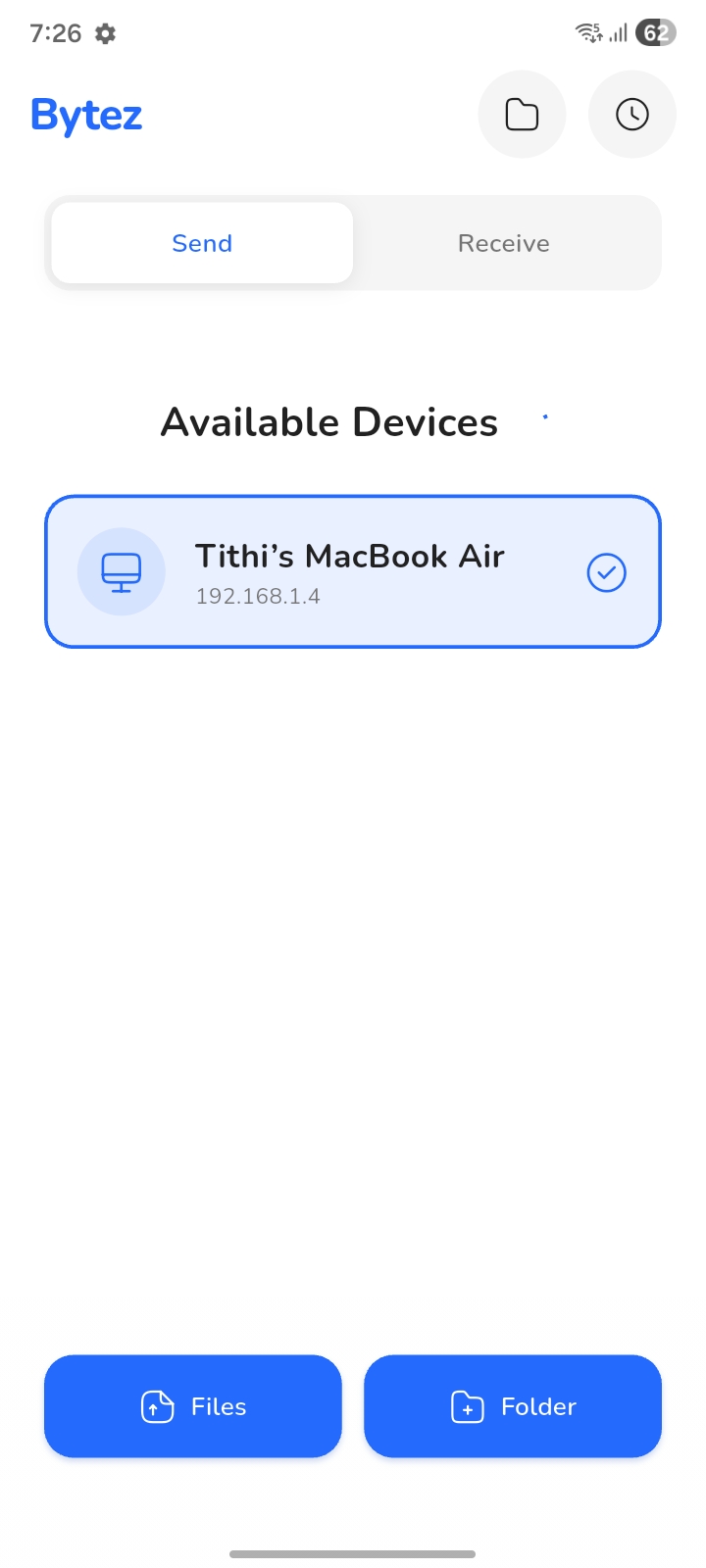
Instant 1-Tap Send & Receive
Bytez provides a clean, distraction-free interface built for rapid transfers. Switch between Send and Receive modes with a single tap, choose individual photos or entire folders, and discover nearby Macs on your Wi-Fi instantly.
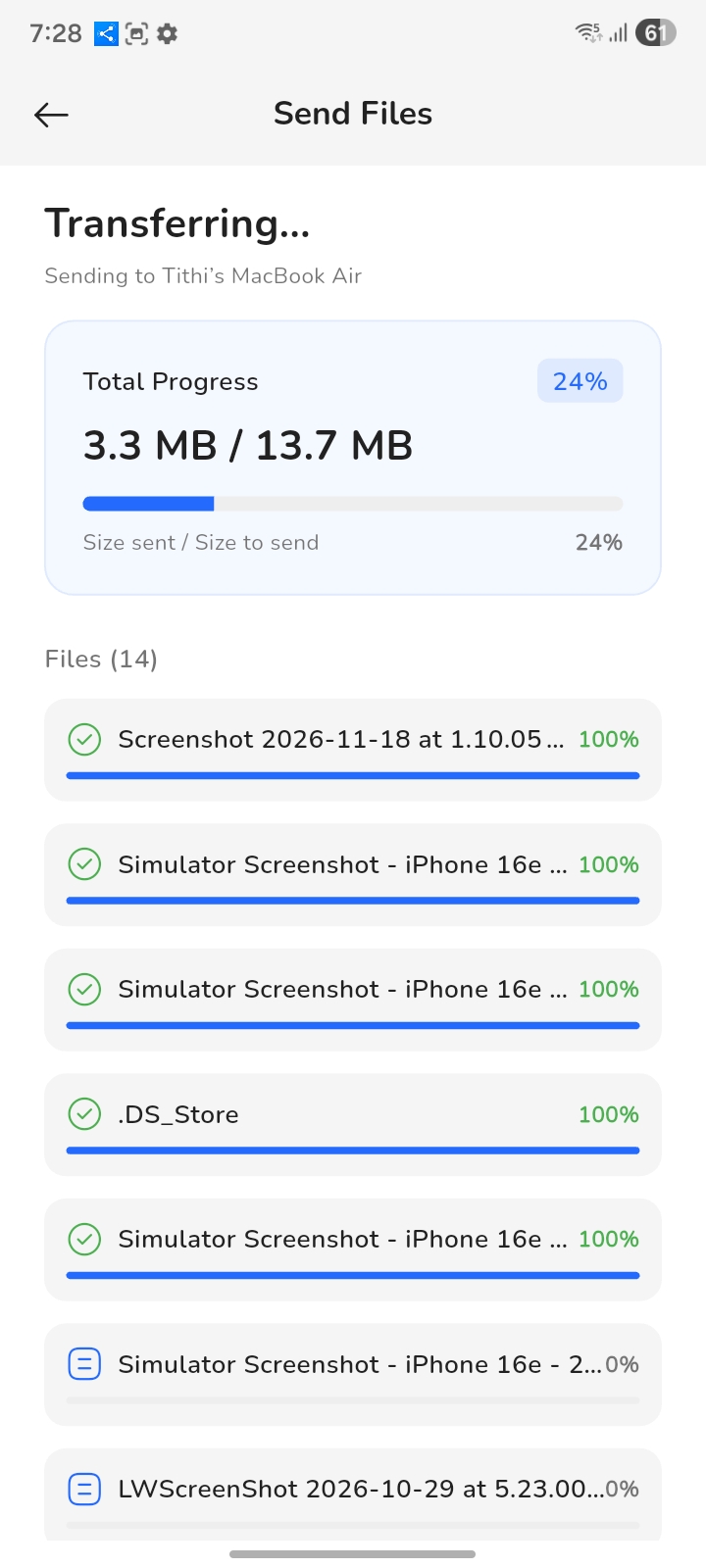
Real-Time 50–100+ MB/s Wi-Fi Streaming
Files stream directly point-to-point over your local Wi-Fi router. Experience true gigabit throughput with live progress tracking, transfer speeds in MB/s, and item-by-item verification checkmarks.
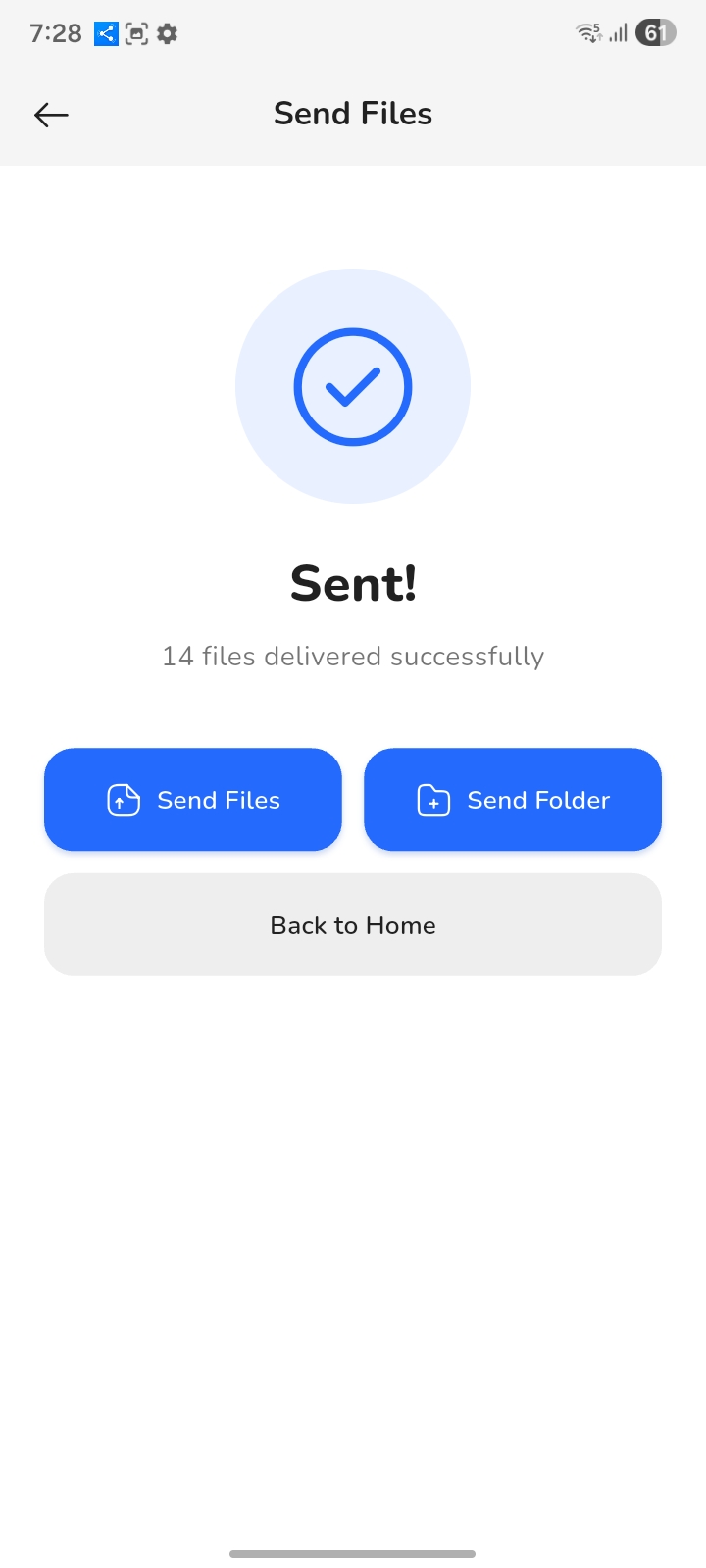
Delivered Successfully & 1-Tap Folder Access
Never wonder whether a video finished sending. Bytez gives clear delivery confirmations with complete item counts and direct one-tap folder access to your transferred media.
macOS Native Experience
Designed exclusively for macOS Menu Bar, Finder, & local Downloads
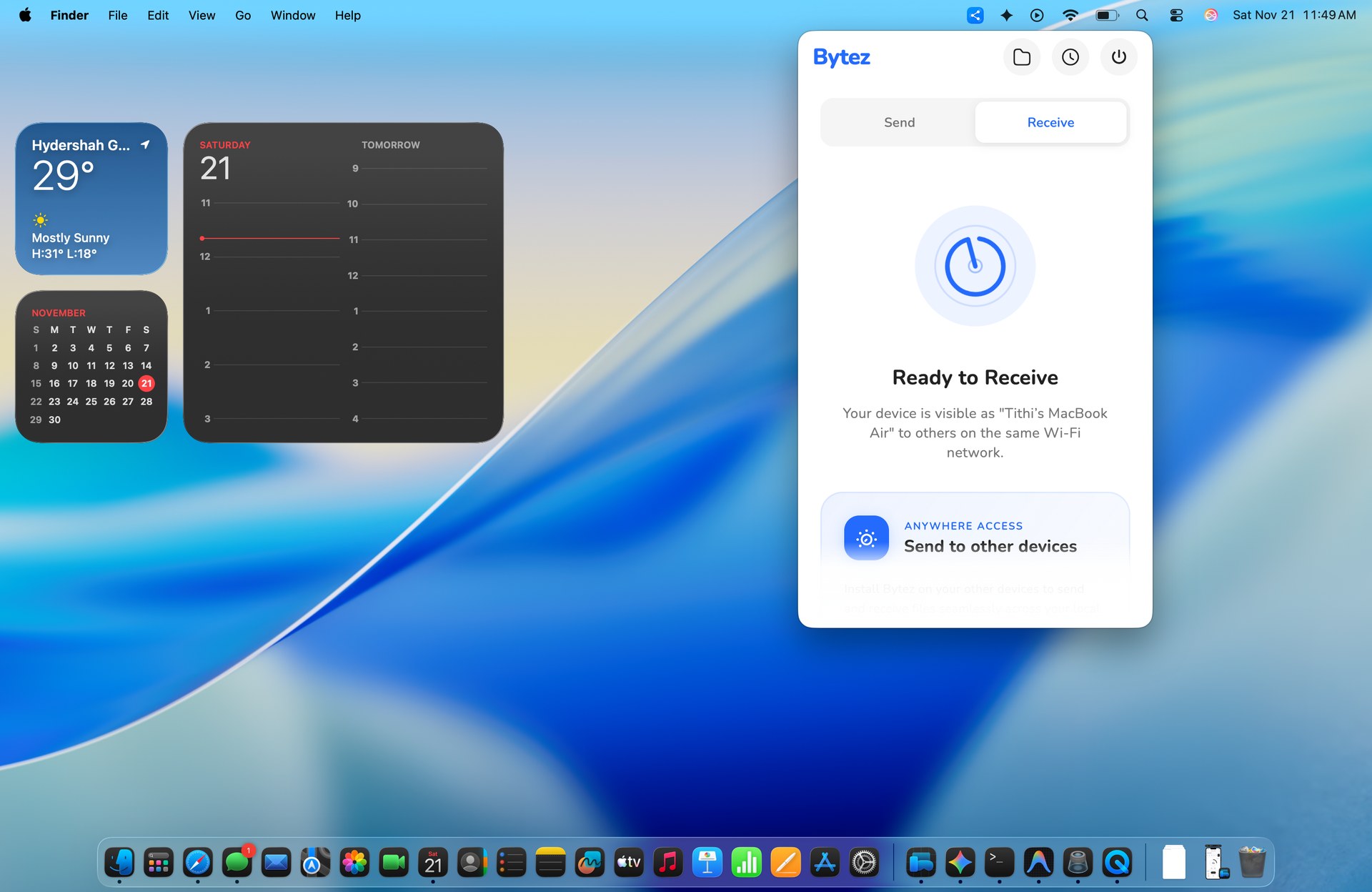
Discreet Menu Bar Receiver
Bytez sits quietly in your macOS Menu Bar. The moment you open receive mode, your MacBook or iMac is broadcasted to nearby Android devices over local Wi-Fi without internet or cables.
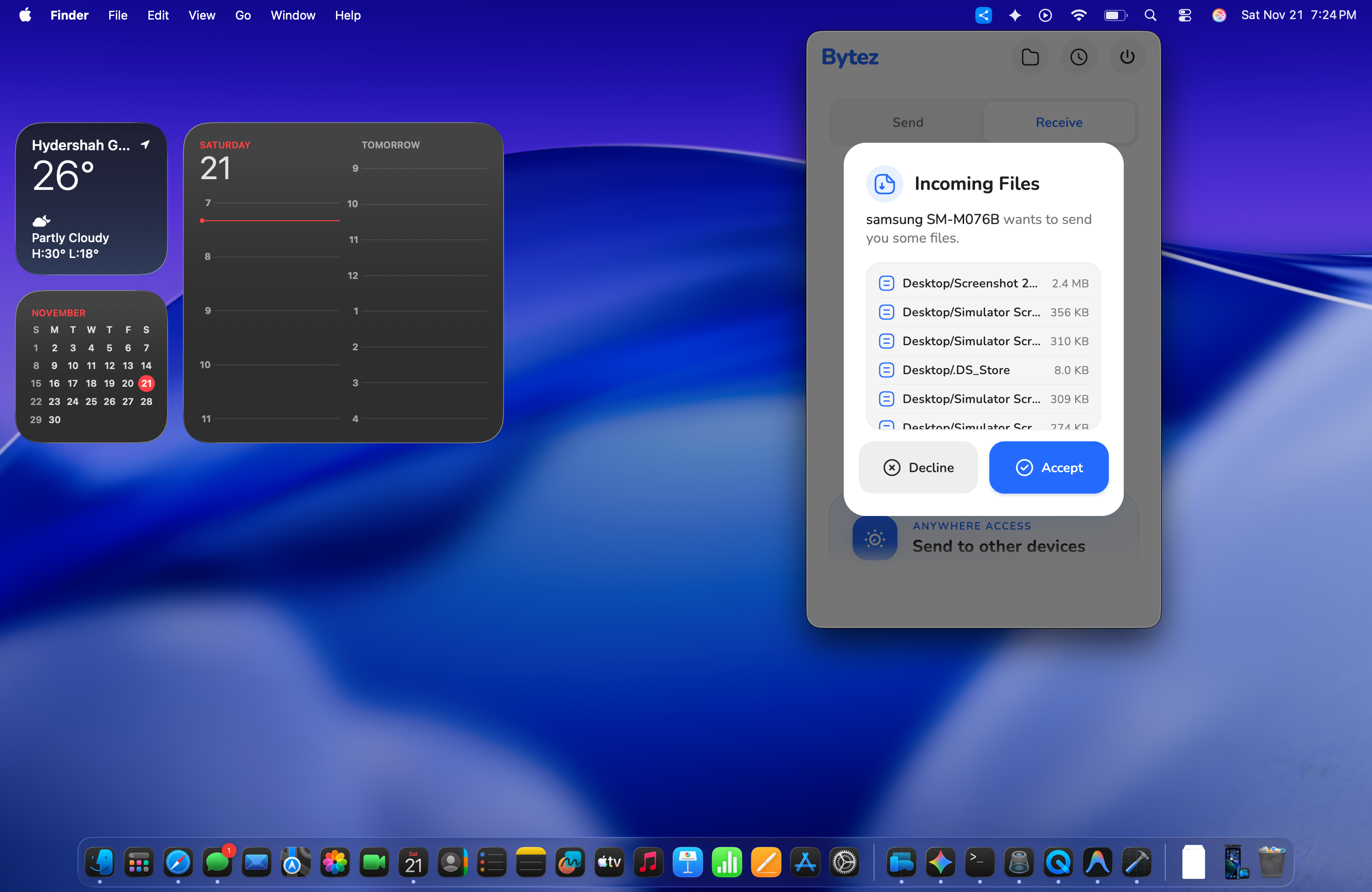
Safe Transfer Confirmation
When an Android phone sends files, Bytez displays a native macOS prompt with file details, sizes, and the device name. Tap Accept to instantly receive them.
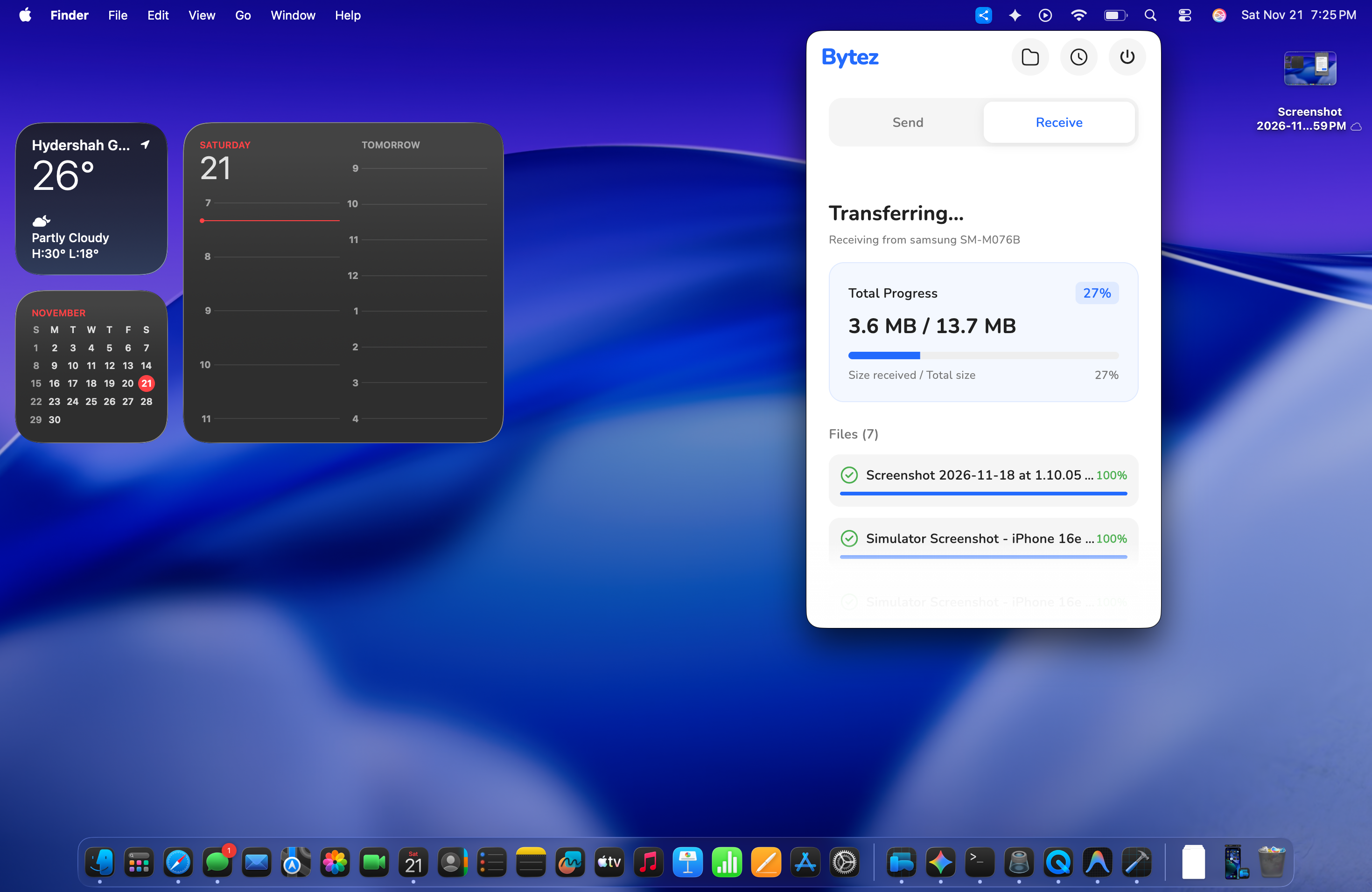
Real-Time 50–100+ MB/s Speed
Watch transfers fly over your local network in real-time. Features total progress tracking, transfer throughput (MB/s), and item-by-item verification checkmarks.
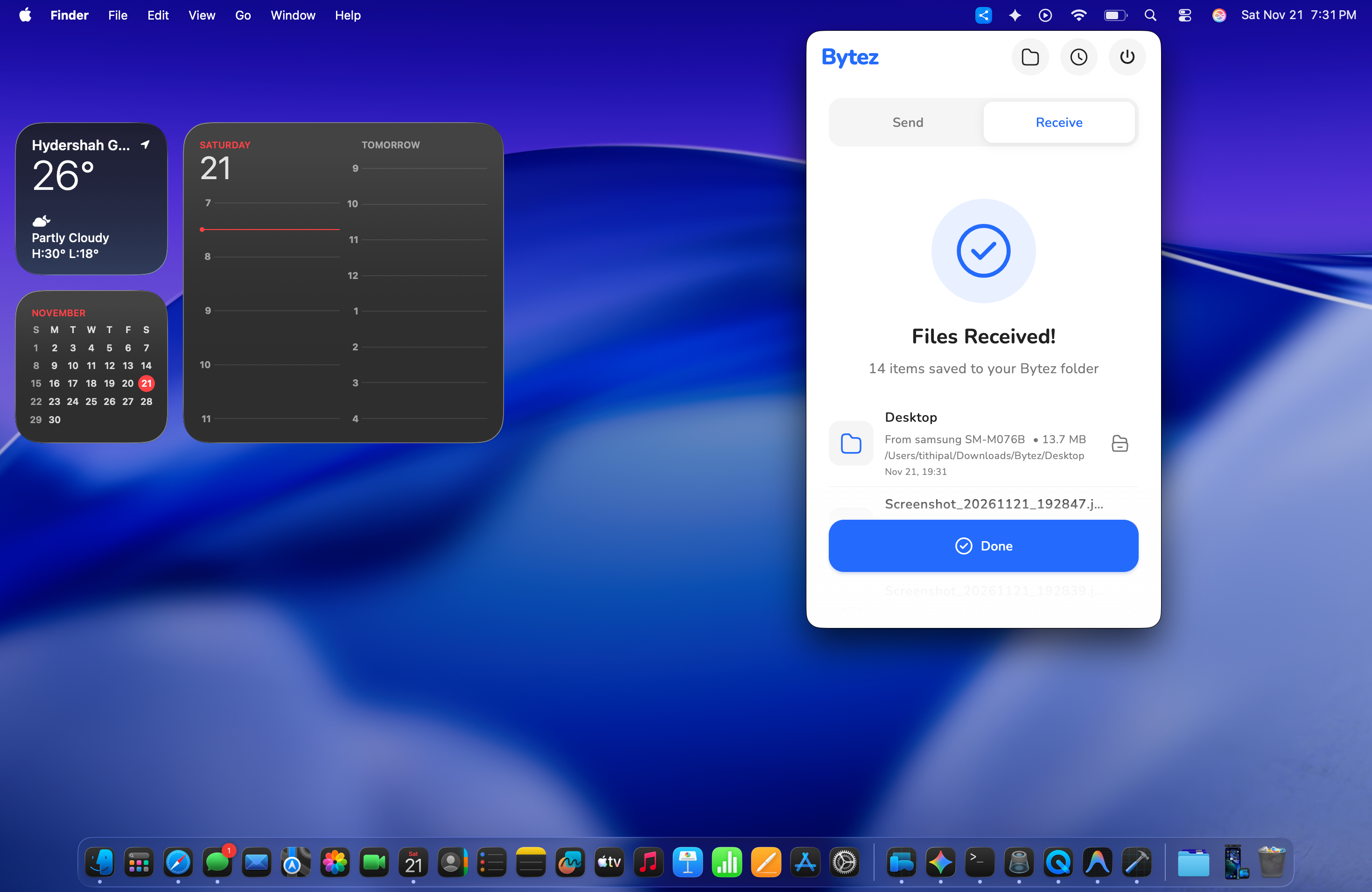
Auto-Saved to ~/Downloads/Bytez
Files land directly in your native Mac Downloads folder organized by date and sender. Instantly accessible from Finder, Quick Look, and Spotlight search.
Bytez vs Cloud Storage for 4K / ProRes Video Transfers
Why Bytez is the only dedicated, high-speed solution designed for Android + Mac users.
| Feature | ★ Best ChoiceBytez | Android File Transfer | Apple AirDrop | Cloud Storage |
|---|---|---|---|---|
| Android ↔ Mac Support | ✓ Designed Exclusively | ✓ (Wired USB only) | ✗ Apple Only | ✓ (Via Web/Sync) |
| 100% Wireless Transfer | ✓ Yes (Local Wi-Fi) | ✗ Requires USB-C Cable | ✓ Yes | ✓ Yes |
| Real-World Speed | ⚡ 50–100+ MB/s | 15–30 MB/s (USB 2.0 bug) | N/A (Android blocked) | Slow (Limited by Uplink) |
| Internet Data Used | 0 MB (100% Offline) | 0 MB | 0 MB | Uses 2x Data (Upload+Download) |
| File Size Limits | Unlimited (100GB+) | Crashes on 4GB+ | N/A | Storage Quota Capped |
| Original Quality (No Compression) | ✓ Bit-for-Bit RAW/4K | ✓ Original | N/A | Depends on settings |
| No Account / Login Needed | ✓ Instant 1-Tap Access | ✓ No Account | Apple ID only | ✗ Account & Login Required |
How to Transfer Files in 3 Steps
No cables, no account registrations, no complicated drivers.
Connect to Same Wi-Fi
Connect your Android phone and Mac to the same Wi-Fi router (or simply turn on your phone mobile hotspot and connect your Mac).
Open Bytez
Open Bytez on both devices. Thanks to Bonjour mDNS discovery, your devices find each other in less than a second.
Select & Send
Pick your photos, 4K videos, or folders, select your target device, and stream them across your local network at peak speeds.
Frequently Asked Questions
Targeted answers for Send Large Videos Android to Mac.
Ready for Fast, Cable-Free Sharing?
Download Bytez free for both Android and Mac and transfer your first file in seconds.
100% Free · No Ads · No Subscription · 100% Private Peer-to-Peer